
Pitlane
The Xcode replacement for indie devs: every iOS project in one window, up to 600% more simulators on the same Mac.
One license covers two Macs. Free for 14 days, no card.
Get three months free
The whole app, 90 days, no card. Ships to your inbox in a minute.
Features
One Window, Every Project 
Four apps on the go means four Xcode windows, four indexers and a Mac too busy to do anything else. Pitlane keeps the projects in a list and calls xcodebuild and simctl itself, so the only thing running is the build.
Up to 600% More Simulators 
Pitlane speeds up your simulators by switching off the roughly 170 background services each one boots that your app will never call: Siri, Spotlight, News, photo analysis, iCloud sync. Between a half and a quarter of the processes and memory survive, depending on the run: on an iOS 26.5 device, 217 processes and 23 GB became 67 and 5.8 GB on one boot, 183 and 19 GB became 76 and 7.9 GB on another. Three or four simulators now fit where one used to thrash. The change sticks across reboots, and anything an app declares in its entitlements or Info.plist stays on, worked out per simulator from the apps you point at it.
The sidebar keeps the receipts: every booted simulator with its process count, its real memory footprint, and the total against the Mac's RAM. Old MacBook, 8 GB, a build going: you can finally see what fits.
Your Agents Can Drive It 
While Pitlane runs, it serves a small HTTP API on 127.0.0.1, loopback only. A script or an AI agent can list the simulators with their memory, read a project's parsed build errors, and build, run, or stop it: the same actions as the buttons, license gate included. One switch in Settings turns it off.
Errors You Can Click 
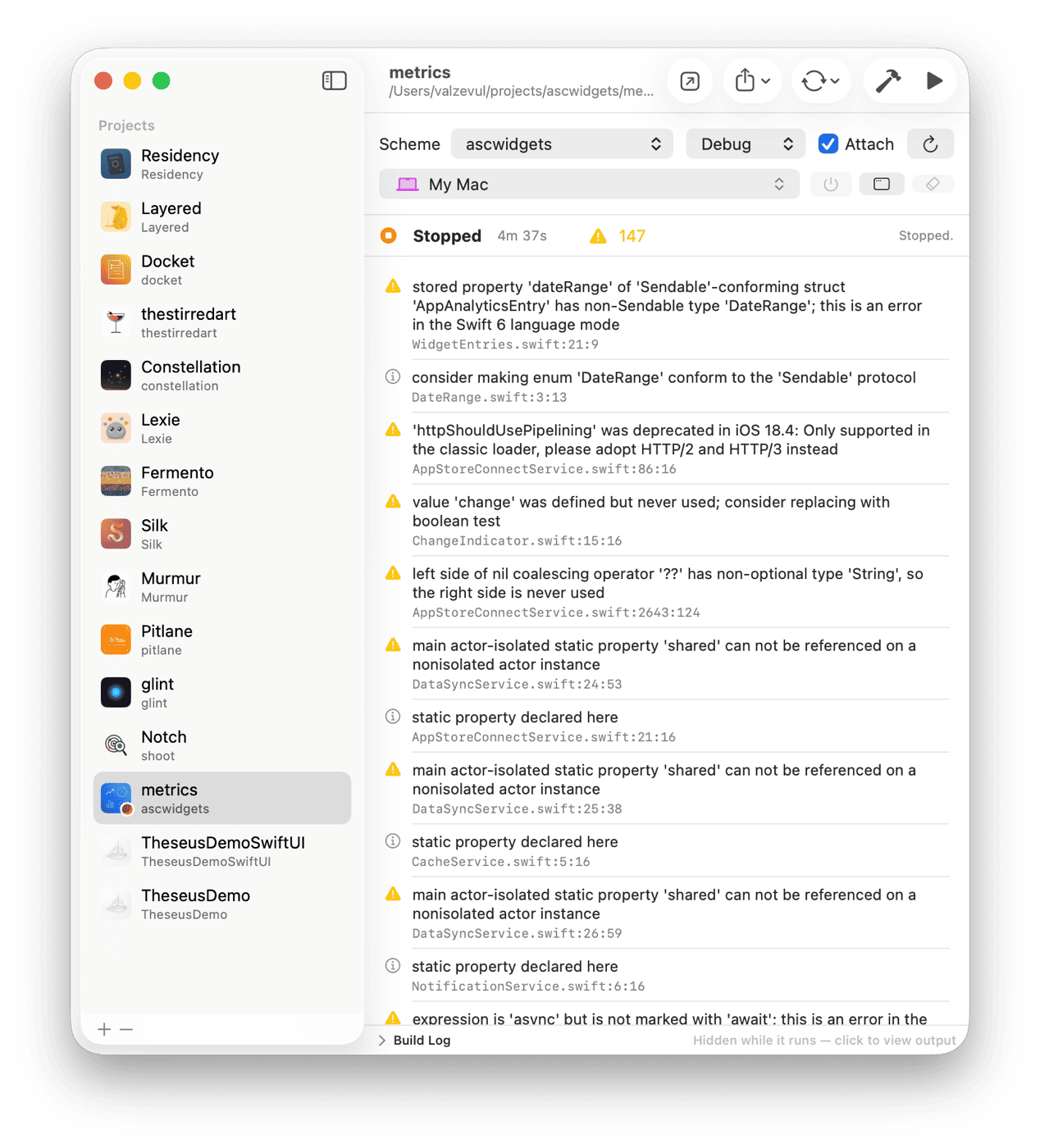
Output is parsed as it streams, so problems arrive as a list instead of a wall of log. Click one and Xcode opens at that line.
Every Device in One List 
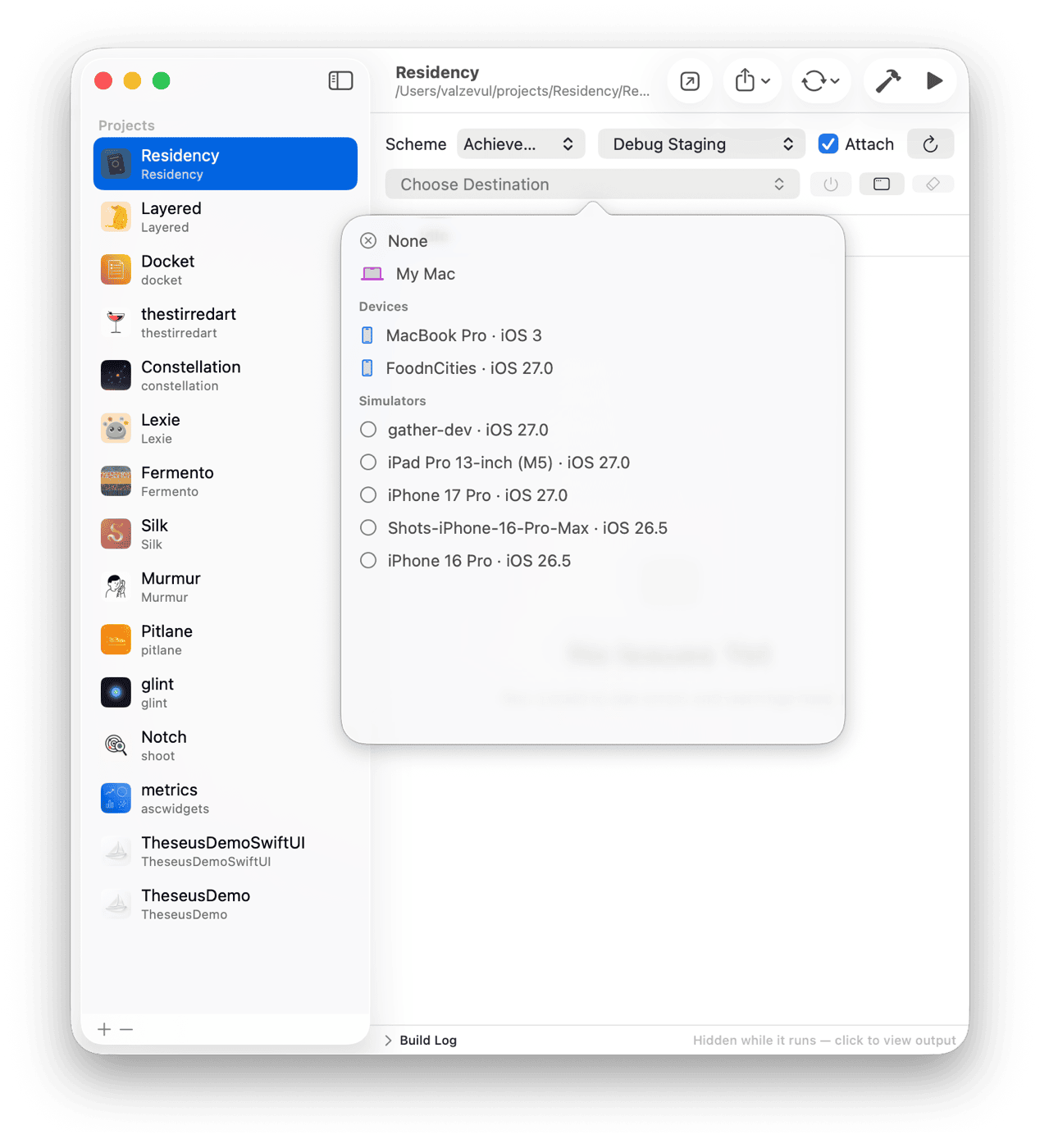
Simulators and cabled iPhones sit together. Pick one and Pitlane boots it, installs the build and launches with the console attached.
The Reset Ladder 
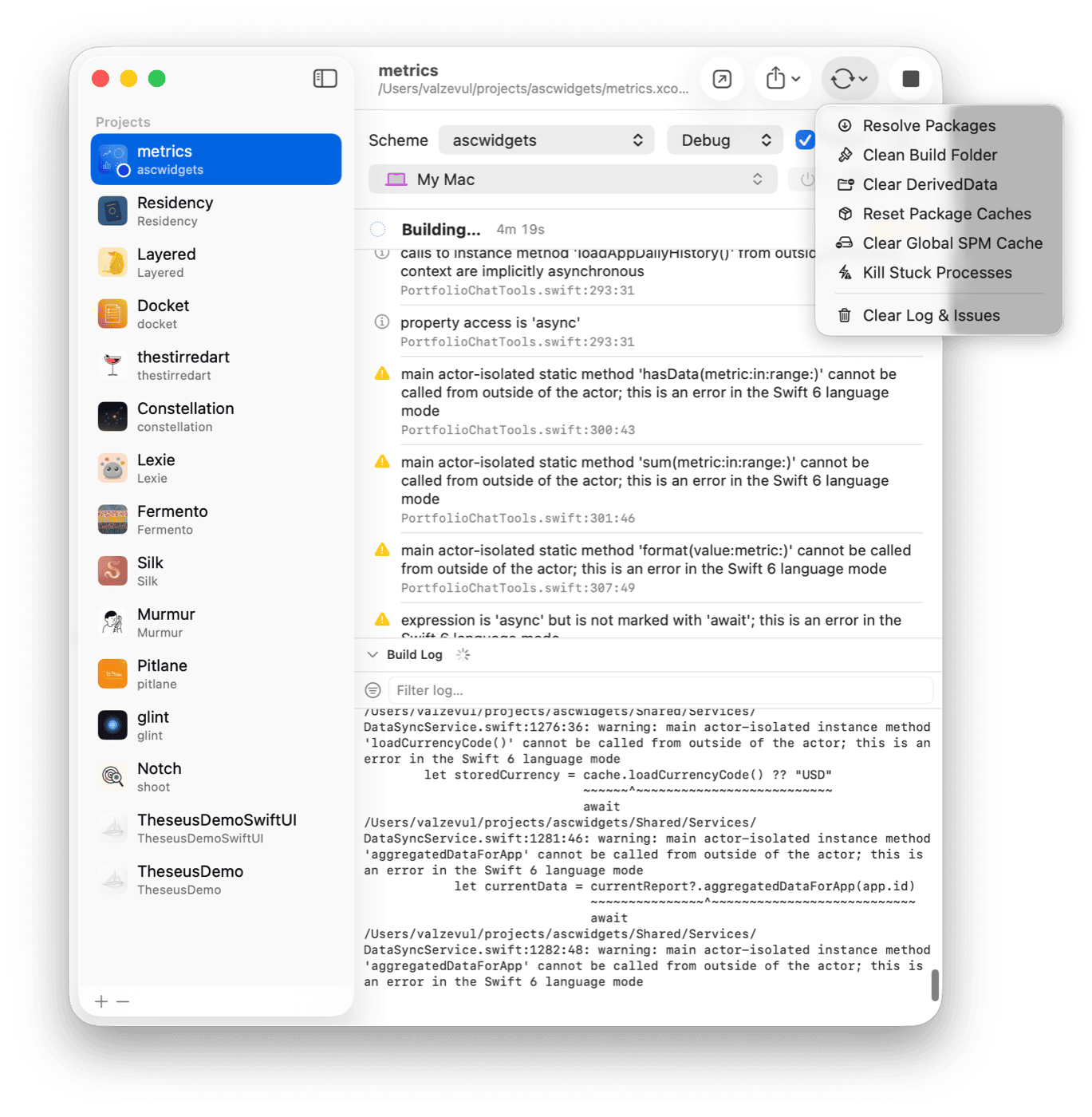
Clean, then DerivedData, then the package caches, then the stuck processes nobody remembers how to kill. Pitlane works down the rungs and tells you what it cleared.
Pitlane is SwiftUI and TCA under the hood. I consult on SwiftUI and TCA migrations.