Why an App-Store-approved iOS app can still fail an iOS security audit
An iOS security audit on why App Review approval is not security: secrets in the binary, weak key derivation, and an agentic-AI attack surface.
You passed App Review, the app encrypts user data, and the security story feels handled. Then an iOS security audit pulls the IPA apart and the key you thought was protected is sitting in the binary, and the encryption you shipped turns out to be brute-forceable in an afternoon. Most of what an audit finds lives in the gap between "approved" and "secure", and almost none of it is visible from inside Xcode.
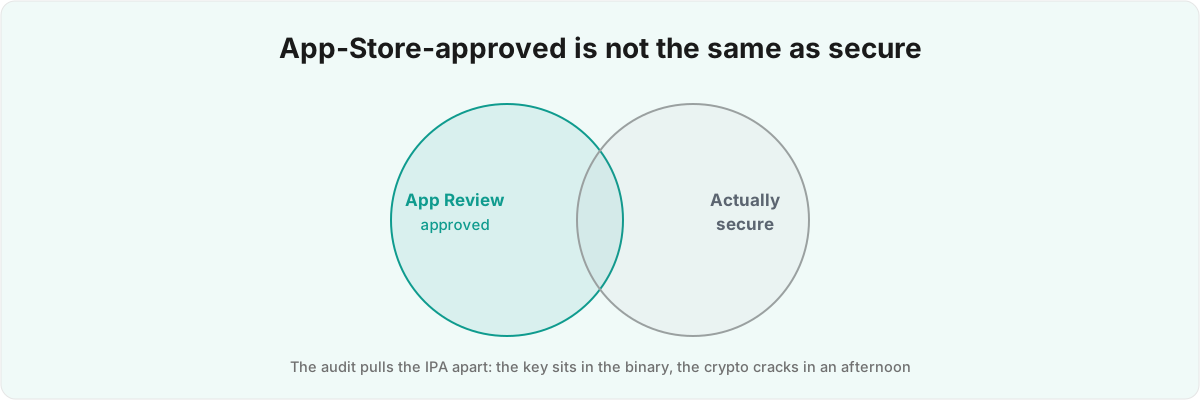
Does passing App Review mean my iOS app is secure? No. Apple checks that the app behaves and follows policy. It does not extract your binary, test your key derivation, or probe your App Intents, which is where a mobile app security review starts and where the findings come from.
What does App Review actually check, and what does it miss? 
App Review confirms the app behaves and follows policy; it does not open the binary, so everything an attacker reaches by extraction is out of scope. A reviewer runs the app, checks that your privacy labels match what it appears to do, and reads your metadata against the App Review Guidelines.[1]1. App Review evaluates submissions against the App Review Guidelines; Section 5 (Legal) covers privacy and data handling but the process is a behavioural and policy review of the running app, not a static analysis of the extracted binary. That is a behavioural test against a public binary, and it bears no resemblance to an adversary sitting down with your IPA and a disassembler.
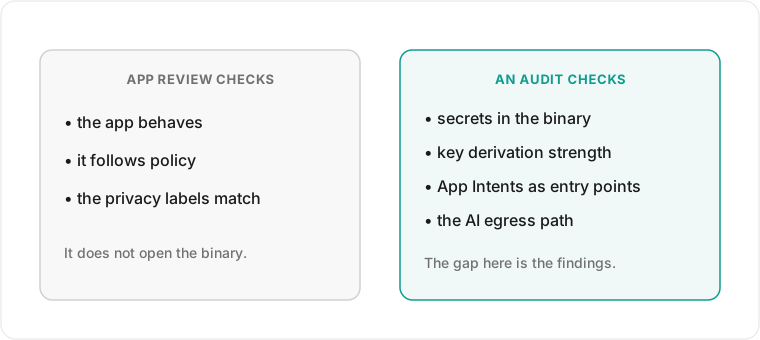
Here is the mechanism people miss. The IPA you upload is a signed ZIP, and once it is on a device anyone with a developer account and standard tools can decrypt the executable, dump its strings, and read the Info.plist, the asset catalog, and any config file you bundled. The signature stops someone passing off a modified app as yours; it does nothing to stop them reading what is inside. So a fully approved build can still hand its keys to the first person who unzips it. This is why "it's encrypted" is not an answer on its own: the reviewer sees ciphertext and a privacy label that both say data is protected, and the audit asks the next question, which is where the key is, how it was derived, and what an attacker needs to reproduce it.
What does an iOS security audit look for first? 
The first thing I look for is secrets, usually committed alongside the code. A .env file with a Sentry DSN, a RevenueCat key, and a partial AIProxy key is fine in development and dangerous in a repo where it was never added to .gitignore. Anyone with a downloaded build or read access to the history walks off with the keys, no jailbreak and no iOS penetration test tooling needed.
This is first because it is the cheapest attack and the most common finding. There is no clever exploit: the string is in the binary or in a config file you shipped, and strings or a history walk surfaces it in seconds. People assume a key baked in at build time is hidden because they cannot see it in the running UI. It is not hidden; it ships with the app to every device that installs it. A key meant to live only on your server has no business in client code, and the moment it is there you treat it as compromised and rotate it.
The second trap is custom key derivation, which looks fine in review and falls over under a penetration test. I know one codebase that got this wrong, because it was mine: an early build of Silk , my private intimacy tracker, derived its AES master key from a four-to-eight-digit PIN with PBKDF2-SHA256 at 10,000 iterations, behind an inline comment admitting the count was "reduced for better UX".[2]2. Silk derives its key with PBKDF2-HMAC-SHA256 at 10,000 iterations via CryptoSwift's
 PKCS5.PBKDF2, producing a 32-byte AES key. The source comment reads "Reduced for better UX with PIN." Do the arithmetic an attacker does. A four-digit PIN is ten thousand candidates; run each through 10,000 hash iterations and that is a hundred million operations to walk the whole keyspace, which a laptop clears over lunch. The iterations were not protecting a password, only slowing a search over ten thousand numbers, and that count was the one thing between an extracted blob and the plaintext.
Why does encryption that looks correct still fail an audit? 
Because the audit traces what an attacker has to do, not what the code appears to do, and the two diverge the moment you store the derived key. That same Silk master key was written verbatim into the Keychain under kSecAttrAccessibleWhenUnlockedThisDeviceOnly, alongside its salt, instead of being sealed in the Secure Enclave or gated behind a SecAccessControl. That accessibility class is fine for ordinary secrets, keeping the item on one device and unreadable while the phone is locked, but it does not bind the key to the user proving who they are. The key sits decrypted in the Keychain, and the PIN check is a string equality test in app code: re-derive the key from the entered PIN, compare it to the stored key, return a Bool. An attacker who can read the Keychain on a jailbroken device never needs the PIN, and one patching the binary just flips that Bool. The lock was a UI gate in front of a key the Keychain had already decrypted, so the cryptography never stood between the attacker and the data.
The biometric story has the same shape and is the single most common misunderstanding I see. Silk used LocalAuthentication, the standard LAContext and evaluatePolicy flow, to ask for Face ID before showing data.[3]3. The biometric gate uses Apple's LocalAuthentication framework - LAContext.evaluatePolicy(_:localizedReason:) with .deviceOwnerAuthenticationWithBiometrics - which returns a success Bool and does not, by itself, release a Keychain item. That call returns a Bool: did the user pass biometrics or not. It unlocks nothing cryptographically. Nothing tied the key's release to the biometric result, so the Keychain item is reachable whether or not Face ID came back true. A different prompt does not fix it. You move the key behind access control that only releases it on a successful biometric or passcode evaluation, so that failing the check leaves the bytes sealed instead of merely hidden behind a screen. Whether the UI is gated or the key is sealed is the whole finding, and it is invisible from the screens a reviewer sees. If you have shipped intimate or regulated data, this is the class of finding a mobile app security review exists to catch, the same discipline I applied to my own apps in a category the platform barely has words for.
What does an agentic-AI iOS app add to the attack surface? 
The newer gap is agentic. Once you expose App Intents to Siri and the system assistant, every intent is a callable entry point, and on iOS 27 that surface is what attackers probe. Your app is no longer driven only by taps it controls; each intent you donate is a function the system can invoke on a user's behalf, influenced by content and people you do not control, and the audit treats every one as untrusted until proven otherwise.
The first failure here is the same authentication gap from the last section, now reachable without touching the UI. If a risky intent opens the app through an unauthenticated custom-scheme deep link with no auth check before navigation, the lock you built for the screens never runs, because the assistant walked in through a side door. Apple's iOS 27 guidance leans on authenticationPolicy, which forces a lock-screen unlock before a sensitive action and can only be overridden to be stricter, and on schema-inherited risk metadata that triggers risk-based confirmations before the system performs something destructive.[4]4. WWDC 2026 session 347, "Secure your app: mitigate risks to agentic features," covers indirect prompt injection, the lethal trifecta (private data + untrusted content + external side-effects), spotlighting, the .onToolCall lifecycle modifier, and App Intents guardrails including schema-inherited risk metadata and authenticationPolicy. Pair that with App Attest, which gives you server-verifiable proof that a request comes from a genuine, unmodified build on real Apple hardware rather than a patched binary or a script.[5]5. WWDC 2026 session 201, "Secure your apps with App Attest," describes server-verifiable attestation that an app is genuine and unmodified on real Apple hardware, gated with isSupported, using a Secure Enclave key, an attestation, and strictly-increasing assertion counters for anti-replay. Before an intent moves money or exfiltrates data, your server should confirm the request is genuine rather than trusting the client's word.
The second failure is newer. If your feature pipes untrusted content into a Foundation Models session, you inherit indirect prompt injection: instructions hidden in a calendar invite, a web page, or a tool's output that redirect the model into doing something you never intended. Apple frames the danger as the lethal trifecta: private data, untrusted input, and an action that can leave the device, all in one session.[4:1]4. WWDC 2026 session 347, "Secure your app: mitigate risks to agentic features," covers indirect prompt injection, the lethal trifecta (private data + untrusted content + external side-effects), spotlighting, the .onToolCall lifecycle modifier, and App Intents guardrails including schema-inherited risk metadata and authenticationPolicy. When all three are present, a single poisoned string can read the private data and use a tool call to send it somewhere. Prompt injection has no clean fix yet, so the work is containment: data-flowing the prompt and marking external sources untrusted, spotlighting to delimit that untrusted content so the model treats it as data rather than instructions, and an .onToolCall confirmation that can throw to block anything the model tries to run before it runs. The hard part is that a demo of this feature looks identical whether or not the containment is there. The injection only fires on input you did not write, which is exactly the input that never appears in your own testing.
So what actually needs deciding, and why is it build-specific? 
Almost every fix here is a judgement call against your threat model, which is why an audit produces decisions rather than a checklist. The right PBKDF2 iteration count, the right Keychain accessibility class, which intents need authenticationPolicy, and whether your AI egress path needs attesting all depend on what you are protecting and from whom, and every one can pass review while leaving the data exposed. The iteration count makes the point: a PIN-derived key over ten thousand candidates cannot be rescued by iterations at all, while a passphrase-derived key over a real keyspace can. It is the same PBKDF2 call either way, and the threat model is what tells you whether raising the count buys you anything. That is the work an audit does that a linter cannot.
I ship apps that have to get this right, including Silk, which encrypts sensitive data, keeps it on the device, and hides behind a calculator disguise; the findings in this post are ones I caught in my own build before anyone else could. I have also spent years on the other side of this, reverse-engineering a gym chain's API that turned an eight-digit PIN into both the door code and the account password. The instinct an audit needs is the same one you use to break in: assume the binary will be opened, the assistant will be steered, and the person holding the IPA is not the person you built it for. If you want a build looked at by an iOS app security consultant before someone else finds the gap, have that conversation early, while the fix is still a design decision rather than an incident report.
App Review evaluates submissions against the App Review Guidelines; Section 5 (Legal) covers privacy and data handling but the process is a behavioural and policy review of the running app, not a static analysis of the extracted binary. ↩︎
Silk derives its key with PBKDF2-HMAC-SHA256 at 10,000 iterations via CryptoSwift's
PKCS5.PBKDF2, producing a 32-byte AES key. The source comment reads "Reduced for better UX with PIN." ↩︎The biometric gate uses Apple's LocalAuthentication framework -
LAContext.evaluatePolicy(_:localizedReason:)with.deviceOwnerAuthenticationWithBiometrics- which returns a success Bool and does not, by itself, release a Keychain item. ↩︎WWDC 2026 session 347, "Secure your app: mitigate risks to agentic features," covers indirect prompt injection, the lethal trifecta (private data + untrusted content + external side-effects),
spotlighting, the.onToolCalllifecycle modifier, and App Intents guardrails including schema-inherited risk metadata andauthenticationPolicy. ↩︎ ↩︎WWDC 2026 session 201, "Secure your apps with App Attest," describes server-verifiable attestation that an app is genuine and unmodified on real Apple hardware, gated with
isSupported, using a Secure Enclave key, an attestation, and strictly-increasing assertion counters for anti-replay. ↩︎