Why does my iPad app feel broken when I run it on Vision Pro?
A visionOS developer's read on why the compatibility iPad-port stalls on Vision Pro, and why a real spatial app is built on RealityKit from the start.
This is the question I field most often as a visionOS developer. You took the cheap path first: ticked the compatibility box in App Store Connect and ran your existing iPad app on Vision Pro. It launched, and then sat there as a flat rectangle floating in the room, the buttons too small for gaze and pinch, nothing in your space. The demo landed flat, and now you're wondering whether real visionOS app development is worth the budget or whether the headset is just a worse iPad.
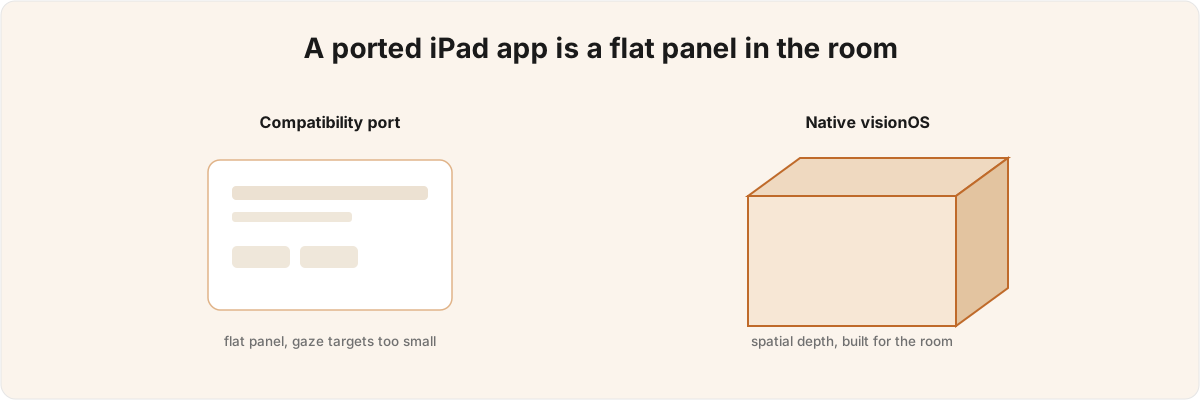
So why does it feel broken when it ran fine on iPad? Because compatibility mode runs your 2D code unchanged and gives you nothing spatial back, and a flat panel floating in the air is not what someone puts a headset on to see. The rest of this is the diagnosis I'd give you before either of us decides whether your idea needs a native build.
What does the compatibility mode in visionOS 27 give me? 
The compatibility path Apple shipped in visionOS 27 does one thing: it runs your iOS code unchanged in a window in space, with nothing spatial added.[1]1. visionOS 27 offers three paths: compatibility (run an iOS app unchanged by enabling it in App Store Connect), native (SwiftUI + RealityKit + Reality Composer Pro 3), and a Mac/PC bridge. Covered in WWDC 2026 session 287, "Build next-generation experiences with visionOS 27." That sentence is the whole feature, and it's worth taking literally. There is no automatic translation layer that turns your UITableView into something gaze-friendly, no depth inferred from your view hierarchy, no occlusion. The M5 renders the window at 4K and 90Hz, so the rectangle is crisp, but crispness is not the problem you have.[2]2. The M5-class Vision Pro renders at 4K and 90Hz, and the compatibility, native, and bridge paths are the three delivery models, per WWDC 2026 session 287, "Build next-generation experiences with visionOS 27." The Mac/PC bridge itself runs over the Spatial Preview framework, covered in WWDC 2026 session 282, "Discover the Spatial Preview framework."
The problems you have are interaction problems, and they're structural. Touch targets sized for a fingertip, Apple's own 44-point minimum, sit at the edge of what gaze-and-pinch can reliably resolve, so the same tap that worked on iPad now misfires at arm's length. Scroll views fight a head-tracked viewport: the system is already moving the content as you move your head, and your gesture recogniser moves it again. Anything that relied on hover, a precise cursor, or the keyboard being a thumb's reach away degrades the moment the device is on someone's face. You can't patch any of this in the ported build, because it's the cost of running 2D affordances in a space that expects 3D ones.
This is the right call for some apps, and I'll say so plainly before a client pays me anything. If your product is a form, a reader, a dashboard, or any utility whose value is the content rather than the spatiality, the compatibility window is a free distribution channel and you should ship it and move on. The mistake is reaching for the headset to demo a flat app and then being surprised it demos flat. The box gets your app onto the device; it doesn't make the app spatial, and no tuning inside the ported target will change that.
What does a native visionOS app build that a port can't? 
A native build changes the architecture underneath, so the flat windows you already have turn out to be the small part. Your panels stay as a WindowGroup, but the spatial content lives in a separate ImmersiveSpace, and that structural split is most of what separates a port from a spatial app.
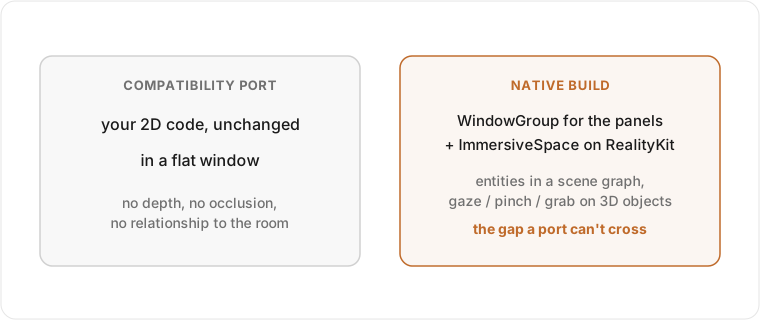
Inside the ImmersiveSpace, the model you've spent your career on stops applying. There's no view hierarchy at all, just a RealityKit scene graph, and everything in it is an Entity - a node with a transform and a bag of components, parented under a root. When I built Constellation , my visionOS mind-mapping app that renders a Markdown vault as a navigable 3D graph, the immersive side is exactly this: a
 ConstellationRoot entity holding a node sub-tree, an edge sub-tree, and an environment sub-tree, with each note materialised as its own entity. Interaction is no longer taps on a screen; it's gaze, pinch, and grab resolved against those entities in three dimensions. The whole thing runs on The Composable Architecture, the same as my iOS apps, but the reducer is now driving a scene graph instead of a layout.
This is also where the work that does not transfer hides, and where the budget actually goes. Lighting, depth, occlusion, and level-of-detail are no longer styling choices; they decide whether an object reads as sitting in your room or pasted over it. A scene that looks fine standing still can clip through real geometry the moment the wearer leans in; a graph that's smooth on a desk can drop frames the instant someone opens the full vault. You don't find these in QA as edge cases; they're the default behaviour of a naïve scene, and avoiding them is most of the engineering, the same way the bugs in a Core ML pipeline live in the plumbing around the model rather than the model itself.
How do I keep a busy spatial scene from dropping frames? 
You keep it at 90Hz by spending your geometry budget where the wearer is looking and reclaiming it everywhere else, because a headset has no spare frames to give back. On iOS a dropped frame is a cosmetic stutter; in a headset it's felt in the inner ear. The thermal ceiling is real, the M5 throttles under load, and you have to keep defending 90Hz as the scene grows and the device warms; it isn't a number you hit once and forget.
The mechanism RealityKit gives you is level-of-detail keyed to the camera. LevelOfDetailComponent lets you register cheaper representations of an entity that swap in by camera distance or screen area, so a node twenty metres away in the graph collapses to a few triangles while the one you're reaching for keeps its full geometry.[3]3. LevelOfDetailComponent (camera-distance and screen-area LODs), thermalStateDidChange adaptation, and SurroundingsLight (virtual lighting that reaches the real room) are RealityKit additions covered in WWDC 2026 session 279, "Explore advances in RealityKit." GaussianSplatResource for rendering real-world captures appears in the same session. In Constellation the same idea shows up as LOD cluster super-nodes: a dense neighbourhood of notes that's too far to read becomes a single drawn cluster rather than a hundred entities. The other half is reacting to heat. RealityKit surfaces a thermalStateDidChange signal, and the right response to a warming device is to drop geometry and effects before the system throttles you. A scene that adapts down gracefully feels stable; one that renders everything at full detail until the M5 forces the issue feels like it's breaking.
The expensive failures here are the quiet ones. Nobody files a bug that says the headset got warm and the graph started to swim; they say the app feels cheap, and they take it off. Knowing which parts of an idea will push the thermal envelope before you've built them, whether that's a dense scene, transparent overdraw, or real-time shadows on everything, is what keeps a demo holding up past the first ten seconds. It's the same instinct as keeping inference off the main thread on iOS: the framework will let you do the slow thing, and your job is to know when not to.
Which of the WWDC 2026 spatial features actually matter for my app? 
Most of the visionOS 27 and RealityKit additions only exist once you're rendering a native scene, so the first question is whether your idea is spatial enough to reach any of them. If you're in the compatibility window, none of this applies to you, and a consultant who pitches you Gaussian splats for a flat dashboard is selling you something you can't use.
For a real spatial scene, a few of the new pieces change what's economical to build, not only what's buildable at all. SurroundingsLight lets a virtual light source actually spill onto the real room, so an object can be lit by your space instead of lit independently of it, which is the cue your eye uses to decide whether it belongs.[3:1]3. LevelOfDetailComponent (camera-distance and screen-area LODs), thermalStateDidChange adaptation, and SurroundingsLight (virtual lighting that reaches the real room) are RealityKit additions covered in WWDC 2026 session 279, "Explore advances in RealityKit." GaussianSplatResource for rendering real-world captures appears in the same session. Gaussian splats (GaussianSplatResource) drop a real-world capture into the scene as rendered geometry, so you can place a real object in someone's room without modelling it by hand. And the no-code Script Graph in Reality Composer Pro 3 wires up drag, physics, and custom-event interaction you'd otherwise hand-write entity by entity, which moves a chunk of prototyping out of code entirely.[4]4. The no-code Script Graph in Reality Composer Pro 3 - node-based event-driven scripting for drag, physics, and custom events - is covered in WWDC 2026 session 252, "Design no-code games with Reality Composer Pro 3." Each is a real lever, and none bolts onto a ported view controller.
The judgement that's worth paying for is matching the capability to the constraint your idea actually hits. If your scene breaks the illusion of objects being in the room, the fix is SurroundingsLight and honest occlusion well before it's more polygons. If it drops frames, the fix is LODs and a thermal-adaptation pass. If it's slow to prototype because every interaction is bespoke, that's where Script Graph earns its place. Reach for splats where a few primitives would do and you've spent your thermal budget on geometry the scene didn't need.
Should I build native, or live with the compatibility port? 
Build native only when the value of your app is the space itself; otherwise ship the compatibility window and keep your budget. That's the whole decision, and it's worth being ruthless about, because native visionOS development is expensive and a flat product gains nothing from a scene graph. The test I apply is simple: if you took the spatiality away, would the app still be the thing people want? If yes, it's an iOS app that happens to run on a headset, and the box in App Store Connect is the right answer. If the value really is the three dimensions, the placement in the room, the depth you can walk around, then the port can never produce it and the architecture has to be native from the first commit.
Constellation started native because the compatibility path could never have rendered a graph you navigate by walking through it. That call was made before any code, and it's the one I most often help clients make: whether the idea needs a spatial scene at all, and what it'll cost to defend 90Hz once it does, ahead of how to build one. The expensive mistakes are the architectural ones, decided on day one, that you only discover in month three when the ported build demos flat or the native scene won't hold frames.
If you're weighing a native build against living with the compatibility port, that judgement is the visionOS and Vision Pro work I take on. Show me what you have and what you want it to do in space, and I can usually tell you which one your idea needs, and where the frame budget is going to bite, before either of us writes a line of RealityKit.
visionOS 27 offers three paths: compatibility (run an iOS app unchanged by enabling it in App Store Connect), native (SwiftUI + RealityKit + Reality Composer Pro 3), and a Mac/PC bridge. Covered in WWDC 2026 session 287, "Build next-generation experiences with visionOS 27." ↩︎
The M5-class Vision Pro renders at 4K and 90Hz, and the compatibility, native, and bridge paths are the three delivery models, per WWDC 2026 session 287, "Build next-generation experiences with visionOS 27." The Mac/PC bridge itself runs over the Spatial Preview framework, covered in WWDC 2026 session 282, "Discover the Spatial Preview framework." ↩︎
LevelOfDetailComponent(camera-distance and screen-area LODs),thermalStateDidChangeadaptation, andSurroundingsLight(virtual lighting that reaches the real room) are RealityKit additions covered in WWDC 2026 session 279, "Explore advances in RealityKit."GaussianSplatResourcefor rendering real-world captures appears in the same session. ↩︎ ↩︎The no-code Script Graph in Reality Composer Pro 3 - node-based event-driven scripting for drag, physics, and custom events - is covered in WWDC 2026 session 252, "Design no-code games with Reality Composer Pro 3." ↩︎